Reads every document on your device.
Scan a page, pick a photo or a file, or share up to 20 files from another app.
 Orbilla
Coming soon
Orbilla
Coming soon
Life Desk · Organize with Orbilla
Orbilla reads every bill, policy and receipt on your iPhone or iPad, finds the dates and amounts that matter, and reminds you of the ones you confirm.

Life Desk has two sides, each with its own places. Your records stay on their own side, and your documents can be found from either. Switch with one tap.
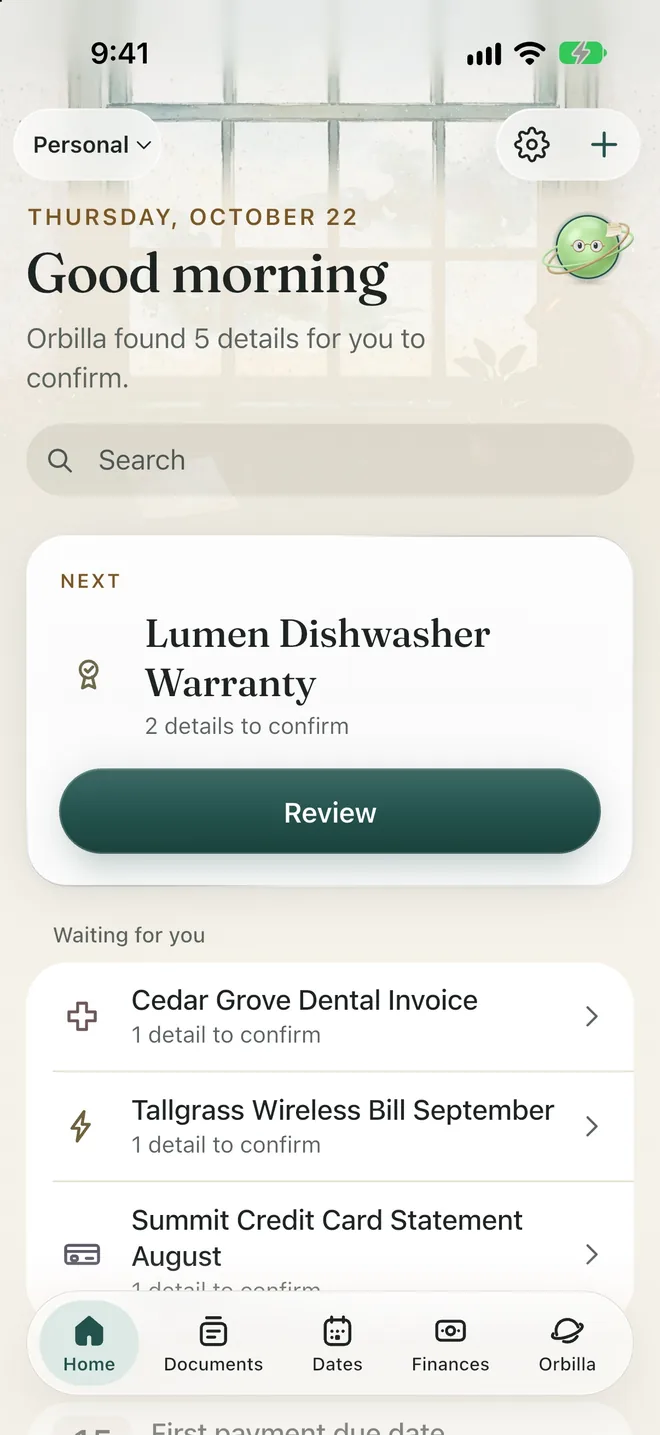
Scan a page, pick a photo or a file, or share up to 20 files from another app.
Up to three reminders for each date, from 30 days before to the day itself.
Every date and amount shows where it came from. Confirm it with one tap.
Orbilla answers from the document’s own words and shows the quote.
Needs Apple Intelligence.
This month’s estimated total, in your own currency, without connecting a bank.
A word, an amount, a date or just a month.
Each record on its line of Schedule C or T2125, added up for the year.
Snap a receipt, and its total and date fill in for you.
Each trip and vehicle, in miles or kilometres.
A summary PDF, spreadsheets and every receipt, in one file.
A document scanner, a receipt and expense tracker, a mileage log, a reminder app and a private document vault.
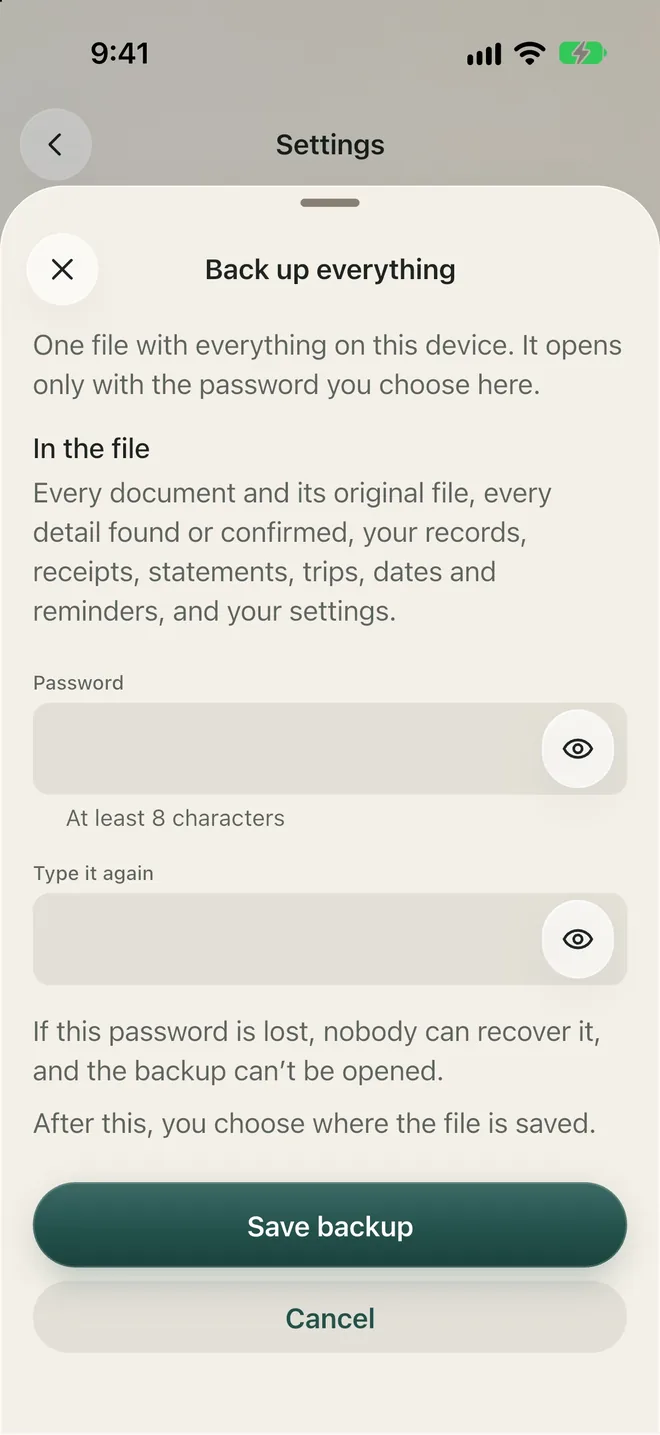
Your documents never leave your device unless you choose to copy or share them. Everything runs on your device, and the app makes no network requests of its own. Purchases and restores go through Apple’s App Store. No documents, document text, prompts or AI output are ever sent anywhere. No account, no backend, no cloud AI.
Free covers up to 10 documents, with every feature: both sides, the Tax Center, mileage, Ask, export and backup.
Typed dates and records never count toward the 10. Receipts and statements are documents, so they count. Purchases and restores go through Apple’s App Store. No account to create.
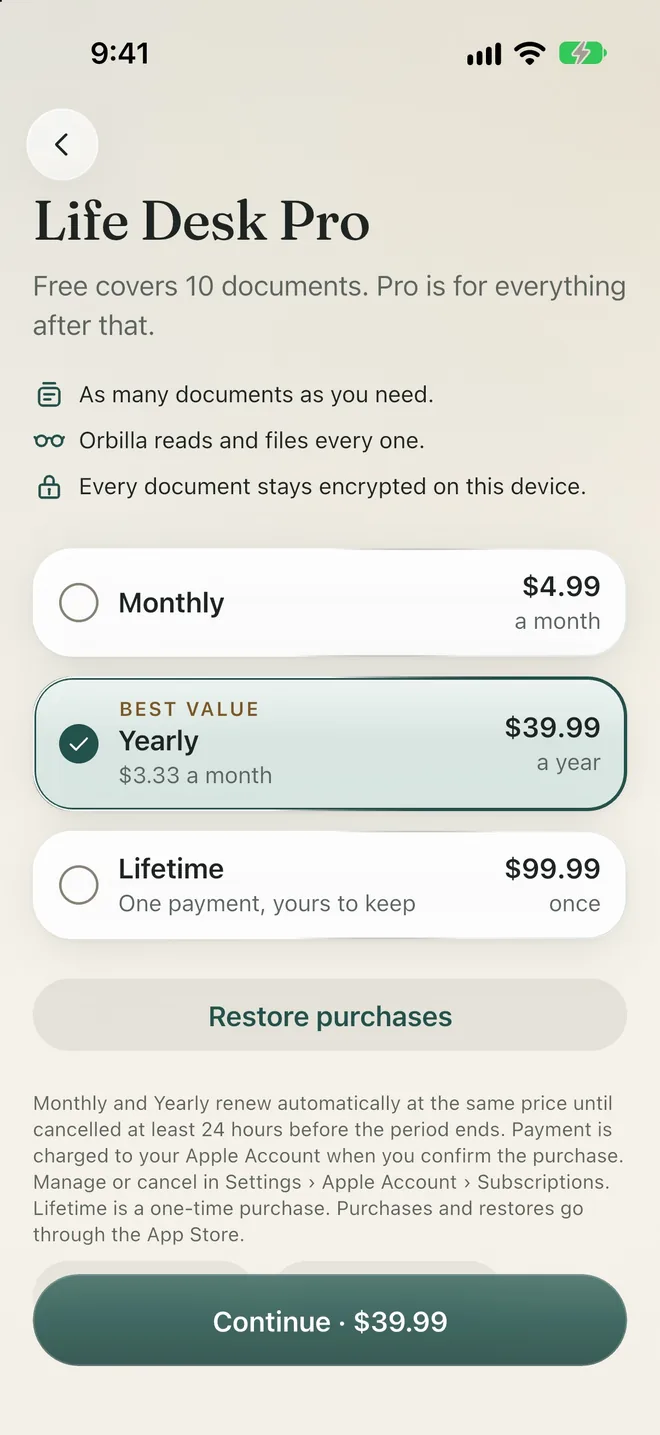
US prices; the App Store shows your local price. Monthly and Yearly renew automatically at the same price until cancelled at least 24 hours before the period ends. Payment is charged to your Apple Account when you confirm the purchase. Manage or cancel in Settings › Apple Account › Subscriptions. Lifetime is a one-time purchase.
The family’s bills, policies and renewals.
Schedule C or T2125, ready at tax time.
That’s why Life Desk has two sides.
Free for up to 10 documents, with every feature. Life Desk Pro removes the limit: $4.99 a month, $39.99 a year or $99.99 once.
Orbilla reads each document on your device and files it under one of 19 categories: Insurance, Utility bill, Medical bill, Bank statement, Credit card statement, Loan, Mortgage, Lease, Rental agreement, Contract, Warranty, Receipt, Tax document, Government document, Travel document, Vehicle document, Membership, Subscription and Other. With Apple Intelligence, it also writes a short summary and picks out what you need to know.
Confirm, edit or ignore each date with one tap. The app’s own code reads every date and amount; AI never works one out.
A reminder can also fall on a day you choose, and a date can repeat every month, every three months or every year. Reminders arrive as notifications when you allow them, and the lock screen shows only a plain word like “Renewal date”, never an amount or a company.
Finances also shows what’s due in the next 30 days, your subscriptions and your other payments. Import a statement you downloaded from your bank or card, as CSV or PDF, and check every row before it’s saved.
Search looks through every word of a document’s text.
Each Work record goes on the line of your form you choose, Schedule C in the United States (23 lines) or T2125 in Canada (22 lines), with GST/HST paid and collected on Canadian records. The Tax Center adds up the year by line, with your slips beside it: 1099-NEC, 1099-K, 1099-MISC, 1099-INT and W-2, or T4A, T4, T5 and T5018. Life Desk keeps your records ready; it does not prepare or file a return.
Link receipts to records and see at a glance which receipts are not linked yet.
Reuse a past trip, and keep each vehicle’s odometer and work share. In the United States you also see the distance at the IRS standard rate, marked as an estimate.
One file holds your Work year: a summary PDF, spreadsheets of your records and mileage, check lists of anything to look at (no receipt, no category, not confirmed, possible duplicates), and every receipt, statement and slip as you added it.
No. It keeps your records sorted onto the lines of your tax form and adds them up, so you or your accountant start from an organized year. “It does not work out a tax or decide what you can claim.”
All 50 states, DC, and all 10 provinces and 3 territories. Life Desk uses the federal forms, Schedule C and T2125, wherever you live; it has no state or provincial forms, and it does not cover Quebec’s own tax form or QST.
No. You import a statement you downloaded yourself.
iPhone and iPad with iOS or iPadOS 17 or later. Summaries, suggested titles and Ask need Apple Intelligence on a supported device. Without it, Orbilla still reads documents, finds dates and amounts, files and reminds.
Yes, and it says so: “Written by Orbilla using on-device AI. Please check important details.”
Yes: a password-locked backup, the year’s export, or copy any document’s text. Delete everything from Settings in two steps.
The organizer inside Life Desk: it reads, finds, files and reminds; you confirm. Life Desk is part of the Orbilla family, with Zen Timer. Meet Orbilla
Life Desk is on its way to iPhone and iPad. Zen Timer is ready today.



Questions about Life Desk? Write to support@orbilla.com.
